agent88bet Casino & Sportsbook Mobile App
We at agent88bet have built our platform around mobile-first access, recognizing that most users reach our casino games, live dealer tables, and sportsbook via smartphone rather than desktop. Whether you're on Android or iOS, you can access agent88bet through a native app or your browser. Both paths are optimized for speed, security, and seamless payment integration with DANA, e-wallet, mobile banking, local payment, online payment, e-wallet, and bank virtual accounts—so your balance flows instantly across all game categories regardless of your device.
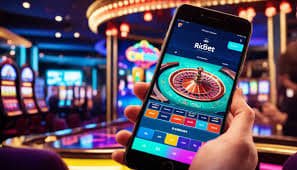
- and
- DownloadAPK
- StartFirst Game
- LoginOTP Verification
Our Android app is distributed directly via APK download from our site, bypassing app store restrictions in certain regions. iOS users access agent88bet through Safari or Chrome—your browser behaves like an installed app, with the same full functionality and offline-capable design. We've engineered both experiences to feel native: fast loading, persistent login, push notifications for game launches and withdrawal confirmations, and seamless payment flows that respect your phone's autofill and wallet integrations.
This page walks you through app installation, device compatibility, common setup issues, and the differences between native Android and iOS browser access. We also cover account security, data permissions, and how to troubleshoot payment or login problems on mobile.
How to Access agent88bet on Your Mobile Device
We at agent88bet offer three pathways to access our platform on mobile. On Android, you can download our APK directly from our site and install it as a native application. This gives you the smoothest experience: offline game loading, faster transitions between tables, and persistent notifications. On iOS, you use your default browser (Safari or Chrome) to visit our site, which operates as a web app. iOS users enjoy the same full access to all games, sportsbook markets, and payment methods as Android users—the experience is nearly identical, just delivered through your browser rather than as an installed app.
A third option, available on both Android and iOS, is direct browser access via our web address. This requires no download or installation; you simply visit agent88bet in your mobile browser and log in. This is fastest if you're trying agent88bet for the first time or if you switch between devices frequently. Your account, balance, and preferences sync across all access methods—Android app, iOS browser, and web—so you can play on whatever device suits you at the moment.
Android APK Installation Steps on agent88bet
Installing our Android app on agent88bet is straightforward. First, download the APK file from our site directly to your phone. Your Android device may warn you that you're installing from "Unknown sources"—this is a security prompt because the app comes directly from us rather than the Google Play Store. To proceed, you'll need to enable "Unknown sources" in your Android security settings. Go to Settings → Security → Unknown sources and toggle it on. This setting is a standard Android security feature and applies to all non-Play Store app installations.
- Download the APK: Tap the download link on our site or in your email. The APK file saves to your Downloads folder.
- Open the APK: Use your phone's file manager to navigate to Downloads, find the agent88bet APK, and tap it to begin installation.
- Grant Permissions: Android will ask for permissions—storage, camera (for ID verification photos), and network access. Grant these to proceed.
- Create Your Account: Once installed, open the app, tap "Register," and complete our signup form with your email, name, and phone number.
After installation, you can disable "Unknown sources" again if you prefer. The agent88bet app will receive updates periodically, and you'll be prompted to download new versions directly within the app. This keeps you current with security patches and new features.

iOS Browser Access and Web App Behavior on agent88bet
On iOS, we at agent88bet recommend using Safari or Chrome to access our platform. Both browsers deliver the full web-app experience—you'll see all our games, sportsbook markets, live dealer tables, and payment options exactly as intended. The experience is designed to feel app-like: the interface loads fast, transitions between screens are smooth, and your login persists between sessions.
You can also add agent88bet to your home screen on iOS, which creates a shortcut that behaves like an installed app. To do this, open agent88bet in Safari, tap the share button, scroll down, and select "Add to Home Screen." A shortcut icon appears on your home screen, and tapping it launches agent88bet in full-screen mode. This is not a true app installation, but it provides app-like convenience. Your data, account balance, and login credentials remain secure across all access methods.
Native App (Android)
- Offline game loading and caching
- Push notifications for bonuses and withdrawals
- One-tap payment shortcuts via saved cards
- Faster game transitions and smoother animations
Browser Access (iOS & Android)
- No download required; instant access
- Works across all devices seamlessly
- Always up to date; no manual updates needed
- Full integration with browser autofill and wallets
Device Compatibility and System Requirements for agent88bet
Our Android app requires Android 7.0 or later. Most smartphones in circulation—from Jakarta to Yogyakarta—run Android 7 or newer, so compatibility is rarely an issue. If your phone is older and runs Android 6 or below, you can still use agent88bet via your browser; browser access works on older Android versions.
For iOS, we recommend iOS 12 or later. Again, most active iPhones run a recent iOS version. If you have an older iPhone, browser access remains fully functional. Our platform is optimized for screens ranging from 5 inches to 6.5 inches, which covers nearly all modern smartphones. Tablets are also fully supported—the interface adapts to larger screens and provides extra space for viewing multiple markets or tables simultaneously.
Network requirements are modest. We at agent88bet optimize our platform to function on 4G networks and WiFi. Live dealer streams use adaptive bitrate technology, so if your connection dips, video quality adjusts automatically to keep the stream smooth. Sportsbook and casino games load quickly even on 3G, though 4G or WiFi is recommended for the best experience, especially during Liga 1 matches or major tournament events.
Mobile gaming on agent88bet is built for the reality of Indonesia's networks—reliable, responsive, and ready to handle your next bet whenever you are.
Troubleshooting Common Installation and Permission Issues on agent88bet
If your Android phone refuses to install the agent88bet APK, the most common cause is that "Unknown sources" is disabled in your security settings. Android blocks non-Play Store apps by default for safety. Navigate to Settings → Apps and Notifications → Advanced → Install unknown apps (or "Special app access," depending on your Android version), find your file manager or browser, and enable the permission to install apps from that source. After installation, you can re-disable this setting if desired.
Another issue: your phone may warn that the APK certificate is unrecognized. This happens because our APK is signed with our own certificate, not Google's. This is normal and safe—it just means the app comes directly from agent88bet rather than through the Play Store. Proceed with installation; the certificate validates our identity, not an external app store.
If the app crashes on startup, clear your phone's cache. Go to Settings → Apps → agent88bet → Storage → Clear Cache. Then restart the app. If problems persist, uninstall agent88bet completely (Settings → Apps → agent88bet → Uninstall), restart your phone, and reinstall the fresh APK. This resolves most startup crashes.
For iOS users, if agent88bet loads slowly in Safari, try clearing your browser's cache. Go to Settings → Safari → Clear History and Website Data, then refresh agent88bet in your browser. If payment methods don't appear, ensure Safari's settings allow cookies and JavaScript. You can verify this in Settings → Safari → Cookies and JavaScript (both should be enabled).
Data, Permissions, and Account Security on agent88bet
We at agent88bet request specific permissions during Android app installation: storage (to cache games and updates), camera (to photograph your national ID during account verification), microphone (for live dealer tables if you want audio), and network access (to connect to our servers). Each permission is necessary for our service to function. You can revoke any permission after installation via Settings → Apps → agent88bet → Permissions, though doing so may limit functionality. For example, revoking camera access prevents you from completing KYC verification via photo.
Your login credentials and payment information are encrypted on your device. The agent88bet app uses HTTPS for all server communication, so data in transit is protected. Your account balance, bet history, and personal information are stored securely on our encrypted servers and are never transmitted without encryption. We never cache your full payment card details or e-wallet passwords on your phone—we store only tokenized references that allow quick payment submission without requiring you to re-enter details every time.
Enable two-factor authentication (2FA) in your agent88bet account settings for added security. With 2FA enabled, anyone trying to log in from a new device must confirm their identity via SMS or authenticator app. This protects your account even if someone obtains your password. We also recommend logging out of agent88bet when you hand your phone to someone else, and never saving your password in your browser's autofill if you share your device.

Payment Integration and QRIS Scan-to-Deposit on agent88bet
Our mobile app integrates directly with your phone's wallet and payment systems. On Android, when you deposit via e-wallet, mobile banking, local payment, or other e-wallets, our app launches your wallet app automatically, pre-filling the transfer amount and recipient. You simply confirm the payment in your wallet, and it returns you to agent88bet with your balance updated seconds later. No manual copy-pasting of account numbers; no context-switching between apps.
We also support online payment, Indonesia's unified QR code payment standard. Open the e-wallet scanner in your e-wallet, photograph the QR code displayed in agent88bet during deposit, and confirm the payment. This is the fastest deposit method on mobile—scan, approve, done. No typing required. Withdrawals follow the same frictionless flow: request your cashout, confirm in your linked e-wallet or bank app, and funds arrive to your original payment method within hours.
Bank virtual account (mobile banking, local payment, online payment, e-wallet) transfers work via your bank's mobile app. During checkout on agent88bet, we display your unique VA number. Open your bank app, initiate a transfer to that VA account, and your deposit settles within one to two hours. All payment methods support both deposits and withdrawals, with zero platform fees.
Account Recovery and Support on agent88bet
If you lose access to your agent88bet account—forgotten password, locked out after multiple failed attempts, or compromised credentials—use the "Forgot Password" link on our login screen. We'll send a password reset link to your registered email. Click it, choose a new password, and you're back in. If you no longer have access to your registered email, contact our support team via live chat in your account dashboard or email. Provide your name, phone number, and the email on file, and our team will verify your identity and regain you access within a few hours during business hours.
Our support team is available in English and responds to queries throughout the day. If you encounter a technical issue—game crashes, deposit delays, payment method failures—describe the issue and your phone's specifications (Android version, iPhone model), and we'll troubleshoot. Common issues resolve quickly; more complex cases may require 24 hours of investigation.
We've designed agent88bet's mobile experience for real users in Jakarta, Surabaya, Bandung, Medan, Semarang, Yogyakarta—people who demand fast loading, instant payments, and reliable live dealer streams. Whether you use Android or iOS, download our app or browser access, your experience is engineered to be smooth and secure. Any questions during setup or use, our support team is here to help.